


Last updated: August 2026 | Written by Ashish Kumar, Founder at BusinessBuilts
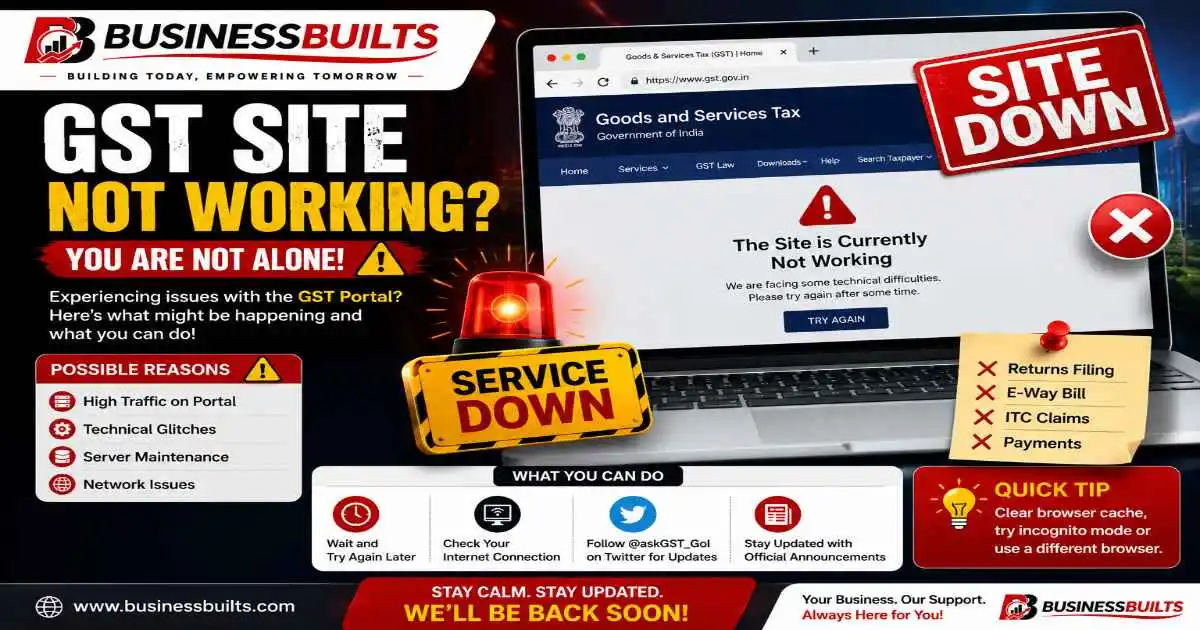
It’s the 20th of the month, you’re logged into the GST portal to file your GSTR-3B, and the page just… stops. Spinning wheel. Blank screen. Or worse, a red error message you’ve never seen before. If you’re searching for why the gst site not working right now with a filing deadline breathing down your neck, take a breath. This happens to lakhs of businesses, CAs, and freelancers every single month, and in almost every case, there’s a clear reason and a clear fix. At BusinessBuilts, we’ve broken down exactly what’s going on and what to do about it.
This guide walks you through exactly why the gst site not working problem happens, how to tell if it’s a portal-wide issue or something on your end, what each specific error message actually means, and most importantly, what to do if the portal stays down right up to your deadline.
Is the GST Portal Down for Everyone, or Just for You?
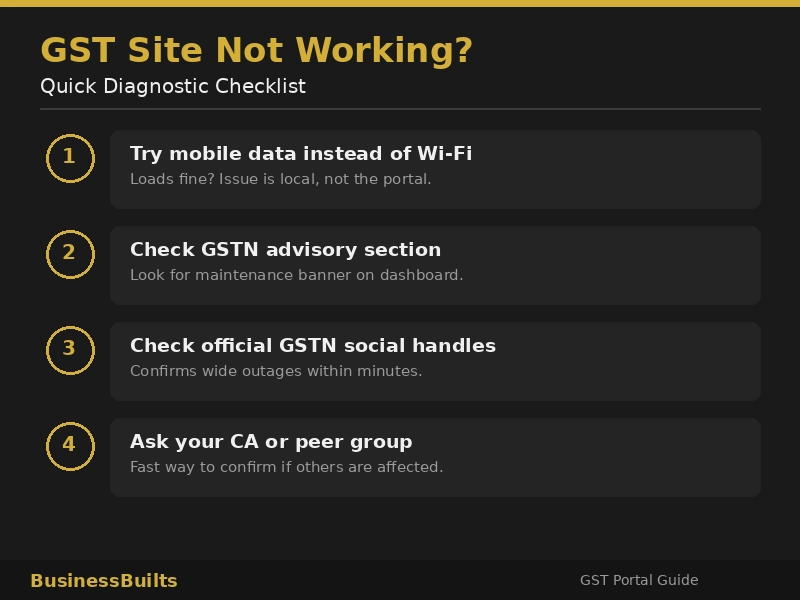
Before you spend twenty minutes clearing cache and switching browsers, spend two minutes figuring out where the actual problem is. This single step saves more time than any other troubleshooting tip in this article, and it’s the one most guides skip entirely.
Here’s how to check:
Try a completely different setup. Open the portal on your phone using mobile data, not your office Wi-Fi. If it loads fine there, the issue is with your original device or network, not the GST portal itself.
Check the GSTN advisory section. GSTN publishes advance notices for planned maintenance directly on the official GST portal. Log in (or try to) and look for a banner or advisory notice near the top of the dashboard.
Follow the official GSTN channels. The GSTN and GST department post real-time updates during major outages on their official social handles. If thousands of people are hitting the same wall, you’ll usually see it confirmed there within minutes, sometimes before the portal’s own advisory catches up.
Ask around. A quick message in your CA’s WhatsApp group or a professional forum will tell you fast whether it’s just you or a genuine portal-wide issue. CAs handling dozens of clients often notice outages before anyone else because they’re logged in constantly.
If it turns out it’s just you, jump straight to the fixes section below. If it’s a wider outage, skip ahead to what to do before your deadline.
Common Reasons Why the GST Site Is Not Working
Once you know it’s a real outage and not a local glitch, it helps to understand which of these is actually happening. The fix is different depending on the cause, and this is exactly why the gst site not working issue can mean five different things depending on the day.
Heavy traffic near filing deadlines. This is the single biggest reason the portal slows to a crawl or times out. Millions of taxpayers file within the same narrow window, especially around the 11th (GSTR-1), 20th (GSTR-3B), and 25th (various other returns). The servers simply have more requests hitting them at once than they’re built to handle smoothly. Think of it like a ticket booking website the moment a popular concert goes on sale. Everything works fine ninety percent of the month, and then it buckles for a few hours on the days that matter most.
Scheduled maintenance. GSTN periodically takes sections of the portal offline to fix bugs, roll out new features, or upgrade backend systems. These windows are usually announced in advance and tend to happen late at night or early morning to minimize disruption, though they can occasionally run longer than planned.
Browser and cache issues. This one’s on your end, not the portal’s. An outdated browser version, a browser that’s no longer supported (Internet Explorer being the classic example), or a cache full of old, conflicting data from previous sessions can all make the GST website not working correctly even when it’s working perfectly fine for everyone else.
Weak or unstable internet connection. A patchy Wi-Fi signal or an active VPN can make the portal appear completely unreachable when it’s actually up and running. VPNs in particular can trigger odd session behavior because the portal sometimes flags the connection as suspicious.
Backend system upgrades affecting specific features. Sometimes the portal itself is accessible, but a particular module like IMS, QRMP, or e-invoicing is temporarily down for an update while everything else works normally. This is why you might be able to log in fine but hit a wall the moment you try to do one specific task.
GST Portal Error Messages and What They Actually Mean
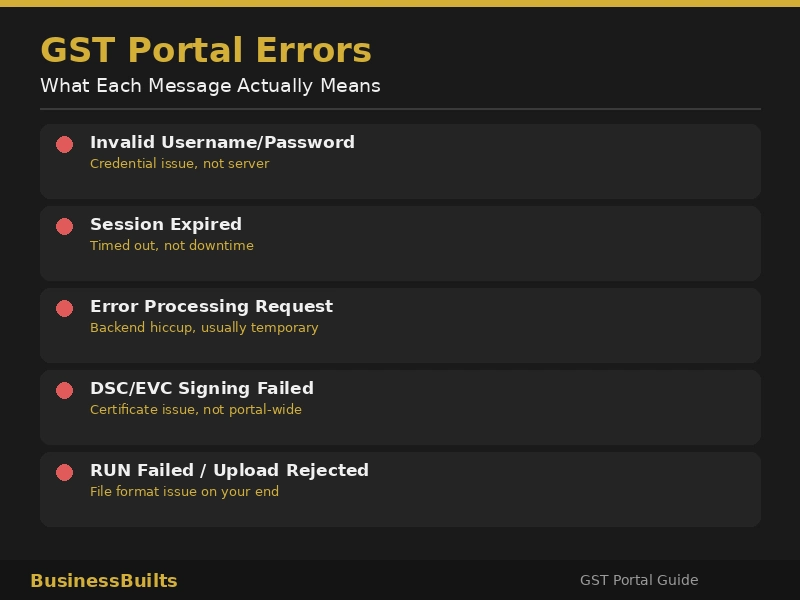
This is where most guides stop being useful, because they treat every problem as “the site is down.” In reality, the exact error message on your screen tells you a lot about what’s actually wrong and how to fix it.
| Error Message | What It Usually Means | What To Do |
| Invalid Username or Password | Credential mismatch, not a server issue | Reset your password through the official portal, double-check caps lock and saved autofill data |
| Session Expired | Your login timed out, often from inactivity or server-side load management | Log in again, avoid leaving tabs open and idle for long periods |
| Error occurred while processing your request | A backend processing hiccup, usually temporary | Wait a few minutes and retry the same action rather than restarting the whole process |
| DSC or EVC signing failure | Digital signature certificate or emsigner tool issue, unrelated to portal downtime | Check your emsigner is running, reinstall if needed, confirm your DSC token is properly connected |
| RUN failed or file upload rejected | Usually a JSON or file format issue on your end, not a server rejection | Re-validate the file using the offline utility before re-uploading |
| Portal not loading at all | Could be server overload, maintenance, or a local network issue | Use the verification steps above to figure out which one before troubleshooting further |
If you’re a CA or accountant handling this for multiple clients, this table is worth bookmarking. Half the panicked calls during filing week come down to one of these six messages, and knowing which is which saves everyone a lot of stress.
How to Fix GST Site Not Working, Step by Step
If you’ve confirmed the issue is on your end and not a portal-wide outage, work through these in order. Most people find the fix within the first two or three steps.
- Clear your browser cache and cookies. Old session data is one of the most common culprits, and clearing it takes less than a minute.
- Switch browsers. If you’re using Chrome, try Firefox or Edge, or vice versa. The GST portal has known compatibility quirks with certain browser versions.
- Turn off your VPN and any aggressive firewall settings temporarily. These can silently block or throttle requests to the portal without any obvious error message.
- Test on a different network. Switch from office broadband to mobile data or vice versa to rule out a local ISP issue.
- Try during off-peak hours. Early morning, roughly 6 AM to 9 AM, tends to have noticeably lighter server load than midday or evening on deadline dates.
- If it’s confirmed maintenance, just wait it out. Check the advisory for the expected restoration time rather than repeatedly refreshing, which won’t speed anything up.
What to Do If the Portal Is Down Before Your Filing Deadline
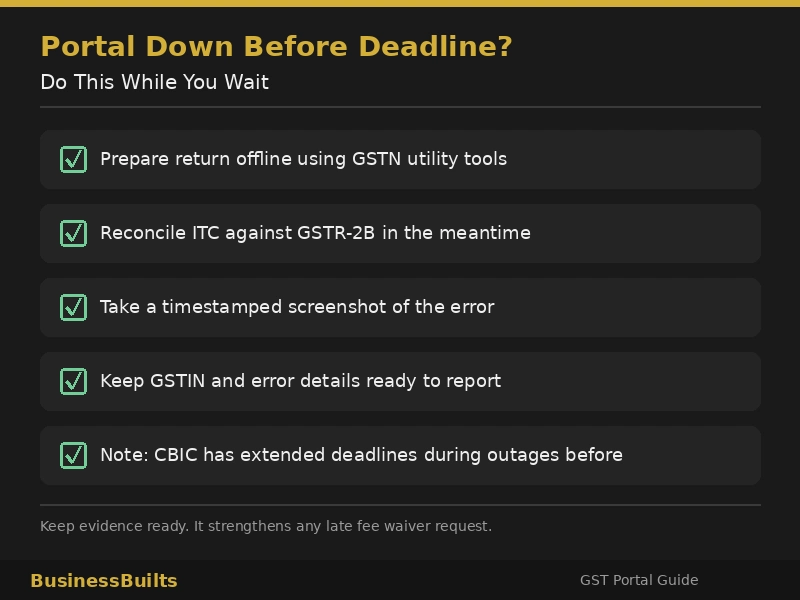
This is the part that actually matters most if you’re reading this in a genuine crisis, and it’s the part most competitor guides barely touch.
Prepare your data offline while you wait. GSTN provides offline utility tools for GSTR-1, GSTR-3B, GSTR-9, and other major returns. Use this downtime productively. Reconcile your purchase data, match your ITC against GSTR-2B, and get your JSON file ready so that the moment the portal is back, you’re uploading in minutes instead of starting from scratch.
Take a timestamped screenshot of the error. This matters more than people realize. If the portal outage genuinely prevents you from filing on time, having dated proof of the error message can support a case for late fee waiver later.
Know that CBIC has extended deadlines before during genuine widespread outages. When a large-scale portal failure affects a significant number of taxpayers, the government has, on past occasions, pushed back due dates in response. This doesn’t mean every individual outage results in an extension, but it does mean that a portal-caused delay isn’t automatically treated as your fault by the system.
Understand what’s actually at stake if you do miss the deadline. Under Section 47 of the CGST Act, a late fee applies for delayed filing, and under Section 50, interest accrues on any unpaid tax liability. If the delay was genuinely caused by the portal being inaccessible, keeping your evidence (screenshots, error timestamps, any grievance ticket you raised) gives you a real basis to request a waiver rather than just absorbing the penalty.
Missed deadlines and portal issues aren’t unique to GST either. If you’ve ever dealt with a similar compliance scare on the income tax side, our guide on Income Tax Demand Notice 143(1) covers what to do if you receive one and how to respond without panicking.
This section is for general awareness only and isn’t a substitute for professional tax advice. If you’re facing a specific late filing situation, it’s worth a quick call to your CA or tax consultant before assuming any particular outcome.
Alternate Ways to File When the Portal Is Inaccessible
If you’re a business that files at high volume or simply can’t afford to wait around, there are a few workarounds worth knowing about.
GST Suvidha Providers (GSPs) and API-based filing. Larger businesses and accounting firms sometimes route their filing through GSPs, which connect to GSTN through APIs rather than the standard web portal. This can occasionally remain functional even when the main portal interface is struggling, since it’s a different access route into the same backend.
Offline utility tools. These aren’t just a backup option, they’re genuinely how a lot of experienced filers work day to day. Preparing your return offline and only touching the live portal for the final upload cuts down your exposure to portal slowdowns significantly.
Bring in your CA sooner rather than later. If you’re a new GST registrant or a solo freelancer without much filing experience, don’t burn hours troubleshooting alone during a genuine outage. A CA who files for multiple clients usually has a faster read on whether it’s a portal-wide issue and what the smartest next move is.
If your GST-related tasks extend beyond return filing, tools like our Pin to Pin Distance Calculator for GST E-Way Bill can help you keep E-Way Bill compliance moving even when the main portal is having issues elsewhere.
How to Report a Persistent GST Portal Issue
If the problem drags on well beyond a normal maintenance window or keeps recurring, it’s worth escalating properly instead of just calling the general helpline repeatedly.
Use the GSTN self-service grievance portal. You can raise a formal ticket at selfservice.gstsystem.in with a reference number, which is useful both for tracking resolution and as documented proof that you reported the issue.
Call GST customer care at 1800-103-4786. This GST customer care number is toll-free and available Monday to Saturday, 9 AM to 9 PM, and works best for quick clarifications rather than complex technical issues.
Have your details ready before you contact anyone. Your GSTIN, a screenshot of the exact error, the browser and device you’re using, and the approximate time it happened will get you a faster resolution than a vague “the site isn’t working” complaint from GST customer care.
Frequently Asked Questions
Why is the GST portal not working today?
Most often it’s heavy traffic around filing deadlines, though scheduled maintenance and backend upgrades are also common causes. Check the GSTN advisory section or official social handles to confirm which one it is.
How do I know if the GST site is down for everyone or just me?
Try loading it on a different device and network, such as your phone on mobile data. If it works there, the issue is local to your original setup, not the portal itself.
What should I do if the GST portal is under maintenance right before my deadline?
Use the offline utility tools to prepare your return data while you wait, take a screenshot of the maintenance notice with the timestamp, and check back at the advisory’s stated restoration time.
Will I get a late fee waiver if the GST portal was down?
Not automatically, but keeping evidence like screenshots and any grievance ticket number strengthens your case if you need to request one. It’s best discussed directly with your CA for your specific situation.
What is the GST customer care number?
1800-103-4786, toll-free, available Monday to Saturday from 9 AM to 9 PM.
Can I file GST returns if the portal is completely inaccessible?
You can prepare your return fully using GSTN’s offline utility tools so that only the final upload depends on portal access. Larger businesses sometimes also use GSP-based API filing as an alternate route.
Which browser works best for the GST portal?
The latest versions of Chrome, Firefox, or Edge generally work best. Older browsers and Internet Explorer are known to cause compatibility issues.
Why does my OTP not arrive when the GST portal is busy?
During high traffic periods, the authentication servers handling OTP delivery are also under load, which can delay SMS or email OTPs by a few minutes. Check your spam folder if you’re expecting an email OTP, and wait a bit before requesting a resend.
GST site kyun nahi chal raha hai aaj?
Zyadatar cases mein iski wajah filing deadline ke aas paas heavy traffic hoti hai, jaise 11, 20 ya 25 tareekh. Kabhi kabhi scheduled maintenance ya backend upgrade bhi isse cause karte hain. Pehle GSTN ki advisory ya official Twitter handle check karein.
GST portal down hai ya sirf mera issue hai, kaise pata karein?
Simple tareeka hai apne mobile data se try karna instead of office Wi-Fi. Agar wahan chal jaaye, to problem aapke device ya network mein hai, portal mein nahi.
GST customer care number kya hai?
GST customer care number hai 1800-103-4786, jo toll-free hai aur Monday se Saturday, 9 AM se 9 PM tak available rehta hai.
Agar deadline se pehle GST site not working ho jaaye to kya karein?
Sabse pehle offline utility tools use karke apna return data prepare kar lein. Error ka timestamp wala screenshot zaroor le lein, taaki agar deadline miss ho bhi jaaye to aap late fee waiver ke liye evidence ke saath request kar sakein.
Kya GST portal down hone par late fee lagti hai?
Automatically nahi lagti agar genuine outage ho aur aapke paas proof ho, jaise screenshot ya grievance ticket number. Lekin best hai ki apne CA se is specific situation ke baare mein baat kar lein.
Related Posts
Key Takeaways
Portal issues are almost always temporary, and figuring out whether it’s a local problem or a genuine outage takes just two minutes and saves you a lot of wasted troubleshooting. Prepare your filing data offline in advance, especially if you know you’re filing close to the 11th, 20th, or 25th. If a deadline is genuinely at risk because of the portal, keep your evidence and don’t panic, since the system does account for this. And if the issue persists, escalate through the proper grievance channel or reach out to GST customer care instead of just repeatedly refreshing the page.
What to Do Next
Dealing with the gst site not working problem is frustrating, especially when a deadline is on the line, but you don’t have to figure it out alone. Explore more BusinessBuilts guides on GST compliance and tax filing essentials, bookmark this page for your next deadline crunch, or check out our Pin to Pin Distance Calculator for GST E-Way Bill if your compliance tasks go beyond just return filing. Got a specific error we haven’t covered? Drop it in the comments and we’ll help you troubleshoot it.
Disclaimer
This article is for general informational purposes only and does not constitute professional tax, legal, or financial advice. GST rules, portal features, and helpline details are subject to change by GSTN and CBIC without notice. For guidance specific to your business or filing situation, please consult a qualified Chartered Accountant or GST practitioner. BusinessBuilts makes reasonable efforts to keep this content accurate and current but is not liable for decisions made solely based on this article.
About the Author
Ashish Kumar is the founder of BusinessBuilts, a business and finance platform helping Indian entrepreneurs, freelancers, and taxpayers navigate compliance, taxation, and personal finance with clear, practical guidance. Read more from Ashish on the author page or reach out at businessbuilts@gmail.com.

1 Comment
Pingback: Pin To Pin Distance: Avoid Costly GST Errors (2026 Guide)