


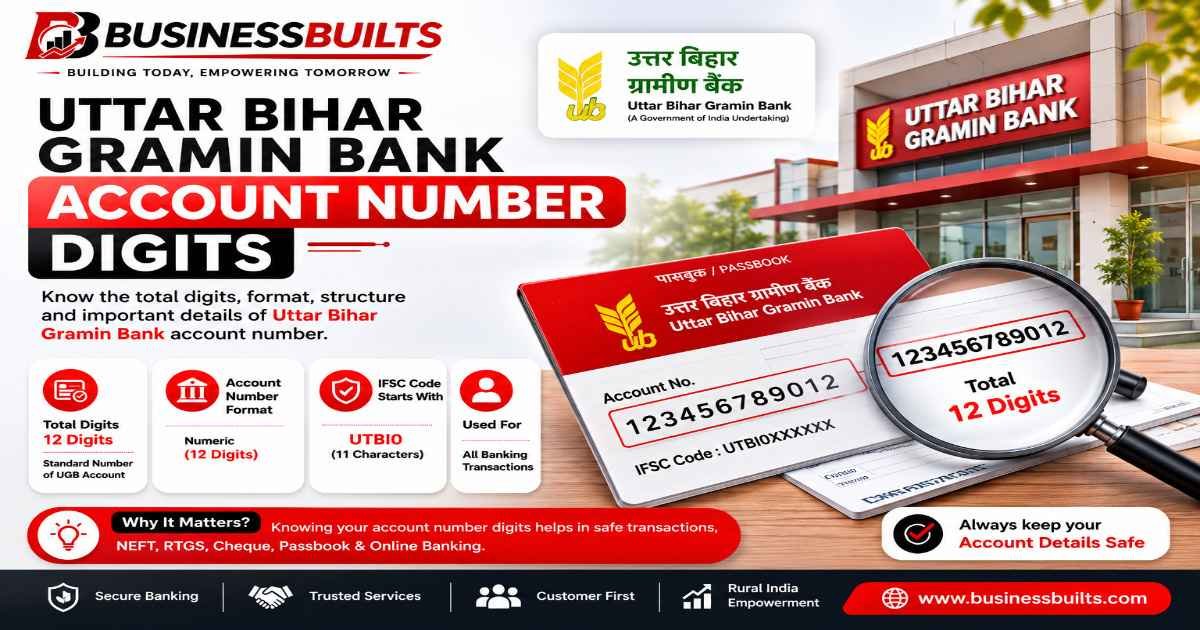
If you’re trying to confirm your Uttar Bihar Gramin Bank account number digits, here’s the short answer: it should be 16 digits.
But there’s more to this than a single number, especially now. Uttar Bihar Gramin Bank isn’t operating as an independent bank anymore, and if you opened your account before 2025, there are a few things you genuinely need to know before you send money, update a UPI app, or hand your account details to an employer for salary credit.
Let’s go through all of it properly.
How Many Digits Are in a Uttar Bihar Gramin Bank Account Number?
A Uttar Bihar Gramin Bank (UBGB) account number is 16 digits long. That’s the number printed on your passbook and cheque leaf, and it’s what you’d use for any fund transfer, whether it’s NEFT, RTGS, IMPS, or UPI.
People often mix this up with two other numbers printed in the same place: the IFSC code and the MICR code. Here’s the quick difference, since this confusion shows up constantly in bank forums and comment sections.
| What it is | Format | Example structure |
| Account number | 16 digits | 1234567890123456 |
| IFSC code | 11 characters (letters + numbers) | PUNB0MBGB06 |
| MICR code | 9 digits | 800811002 |
If what you’re looking at has letters mixed in, that’s not your account number. It’s your IFSC code. That single mix-up is probably the most common reason people think their Uttar Bihar Gramin Bank account number digits are “wrong” when it’s actually just a different field on the same passbook page.
What Do the 16 Digits Actually Mean?
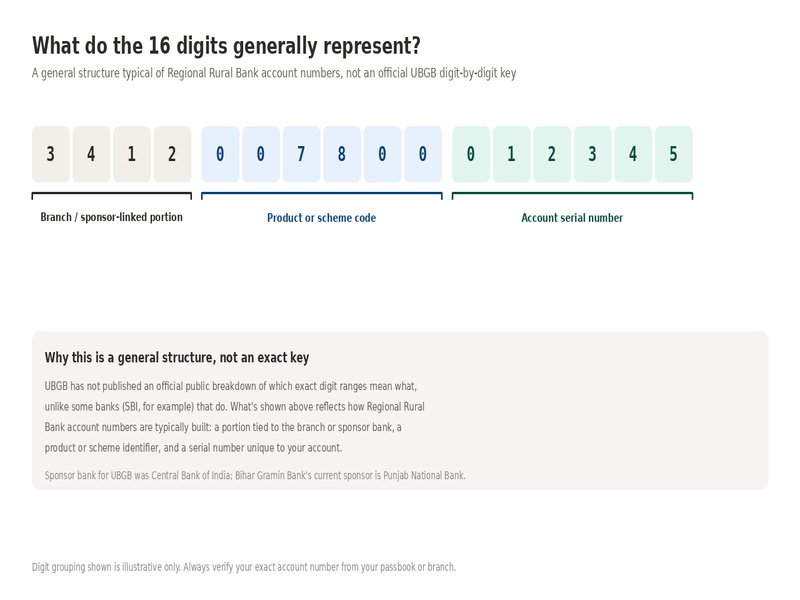
Unlike a phone number, a bank account number isn’t random. Regional Rural Banks (RRBs) like UBGB typically build account numbers around a few components: a portion tied to the branch, a product or scheme identifier, and a serial number that’s unique to your specific account.
Here’s the honest part: UBGB, like most Indian RRBs, hasn’t published an official public breakdown of exactly which digit ranges mean what. Some banks (SBI is a good example) do publish this, which is why you’ll see guides confidently say “the first two digits show X.” For UBGB, that level of official detail isn’t public, so it’s better to say what’s true instead of guessing digit-by-digit and passing it off as fact.
What is worth knowing is why the number looks the way it does at all. Understanding the regional rural bank account number format helps explain this. RRBs like UBGB were set up under the RRB Act of 1976, and each one operates with a sponsor bank that provides technology, back-end systems, and management support. UBGB’s sponsor was Central Bank of India. That sponsor relationship is a big part of why account number formatting and IFSC structuring for gramin banks often look different from a private bank like HDFC or ICICI, where the numbering system is entirely the bank’s own design.
Important Update: Uttar Bihar Gramin Bank Is Now Bihar Gramin Bank (BGB)
This is the part most other articles on this topic either skip entirely or got outdated fast, so pay attention if you have an existing UBGB account.
On May 1, 2025, Uttar Bihar Gramin Bank merged with Dakshin Bihar Gramin Bank (DBGB) to form a single entity called Bihar Gramin Bank (BGB). This happened under the Government of India’s “One State, One RRB” policy, which consolidated regional rural banks across several states, not just Bihar. Uttar Pradesh went through the same thing around the same time, merging three separate gramin banks into one.
The new sponsor bank for Bihar Gramin Bank is Punjab National Bank (PNB), replacing UBGB’s earlier sponsor, Central Bank of India.
Here’s what actually changed and what didn’t:
The IFSC code changed. Old UBGB branch codes that started with CBIN have been replaced with a new format starting with PUNB. If you were previously searching for the Uttar Bihar Gramin Bank IFSC code, that old CBIN-prefixed system no longer works, you now need the updated Bihar Gramin Bank IFSC code, which starts with PUNB. For example, a branch that previously used a CBIN0-prefixed code now uses something like PUNB0MBGB06. This is not optional. Old codes have been deactivated by RBI, so if you use an outdated IFSC code for a transfer, it will bounce or fail.
UBGB to BGB account number change: what’s actually different. Based on the bank’s own amalgamation FAQ, existing customers were told to keep using their existing account access, cards, and login credentials as-is until core banking system (CBS) migration is completed branch by branch, after which any further changes would be communicated directly. If you haven’t received a specific notice from your branch about your account number changing, treat your existing 16-digit number as valid, but always confirm at your branch if you’re about to make a large transfer and something looks unfamiliar.
If any of this affects you directly, here’s your actual to-do list:
- Update your IFSC code wherever it’s saved, in UPI apps, salary mandate forms, EMI auto-debit instructions, and insurance premium details.
- Keep your account number as-is unless your branch has specifically told you otherwise.
- If a transfer to your account fails using an old CBIN-prefixed IFSC code, that’s expected. Share the new PUNB code with whoever is sending you money.
- For anything uncertain, call or visit your nearest Bihar Gramin Bank branch rather than guessing. This is still a live transition and details can vary by branch depending on how far along their CBS migration is.
How to Find and Verify Your Account Number
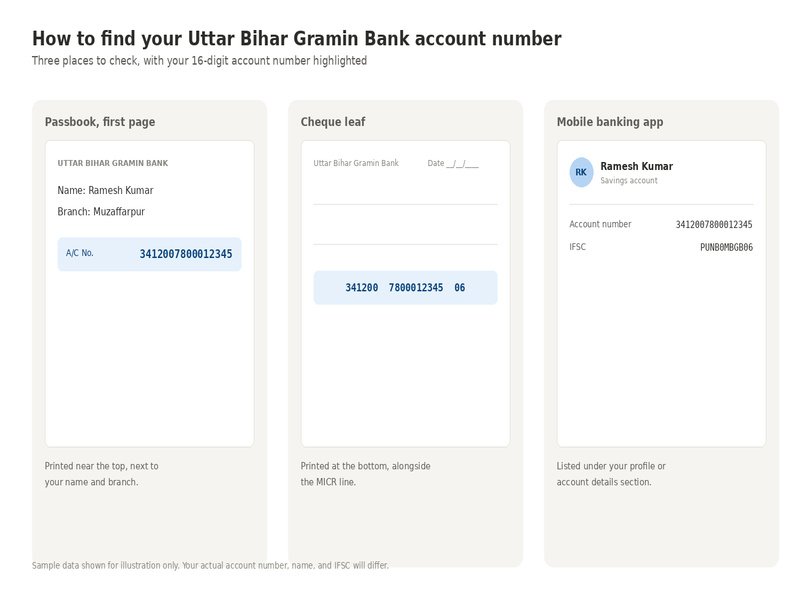
If you’re not sure you’re looking at the right number on your UBGB passbook account number field, here’s exactly where to check.
Passbook: Open to the very first page. Your account number is usually printed near the top, close to your name and branch details.
Cheque leaf: Look at the bottom of the cheque. You’ll typically see the account number printed along with the MICR code line.
Mobile or internet banking app: Under your profile or account details section, the account number is listed alongside your registered mobile number and branch name.
One mix-up worth flagging specifically: your Customer ID (sometimes called CIF number) is a different number from your account number, and it usually has a different digit count. If you’re filling out a form and it asks for your “customer ID,” don’t enter your 16-digit account number there. It’s a common error, especially for people who’ve had commercial bank accounts before, where CIF numbers are used less often in everyday transactions.
A quick self-check before you send money to someone or share your own details: count the digits. If it’s 16 digits with no letters, you’re looking at your account number. If it’s 11 characters mixing letters and numbers, that’s your IFSC. If it’s 9 digits on the bottom of a cheque, that’s your MICR code.etails: count the digits. If it’s 16 digits with no letters, you’re looking at your account number. If it’s 11 characters mixing letters and numbers, that’s your IFSC. If it’s 9 digits on the bottom of a cheque, that’s your MICR code.
Frequently Asked Questions
UBGB account number kitne digit ka hota hai?
Uttar Bihar Gramin Bank ke account number mein 16 digits hote hain. Yeh aapke passbook aur cheque book, dono par print hota hai. In short, Uttar Bihar Gramin Bank account number digits total 16, no more, no less.
Has my UBGB account number changed after the Bihar Gramin Bank merger?
For most existing customers, no, not automatically. The account number has generally stayed the same through the transition, though the IFSC code has changed. If your branch informs you of a specific account number change during CBS migration, that notice would come directly from Bihar Gramin Bank.
What is the new IFSC code for former UBGB branches?
Former UBGB branches now use IFSC codes starting with PUNB, reflecting the new sponsor bank, Punjab National Bank. The exact code differs by branch, so check your specific branch’s updated code rather than assuming it’s the same across the state.
What’s the difference between account number, IFSC, and MICR code?
Your account number (16 digits) identifies your specific account. The IFSC code (11 characters) identifies the bank and branch for electronic transfers like NEFT and RTGS. The MICR code (9 digits) is used specifically for cheque processing and clearing.
Which document shows my correct, current account number?
Your physical passbook and cheque book are the most reliable sources. If you’ve recently had any account changes communicated by the bank, your mobile banking app will typically reflect the most current details.
If you’re still unsure about anything specific to your account, especially around the ongoing BGB migration, your branch is the most reliable source. Formats and timelines can vary slightly branch to branch during a transition like this, and it’s worth the five-minute conversation before you make a transfer you’re not fully sure about.
Related Posts
About the Author
Written by Ashish Kumar, Founder at BusinessBuilts
Ashish Kumar is a finance and business content writer with over 5 years of experience specializing in personal finance, banking, insurance, taxation, investments, fintech, and business trends. Through BusinessBuilts, he publishes well-researched, accurate, and easy-to-understand content based on credible sources and the latest industry developments to help readers make informed financial decisions.
