



Quick Answer
HPCL Business Portal is an online platform created by HPCL for its dealers, distributors, vendors, and commercial customers. Dealers log in through sales.hpcl.co.in/bportal, while vendors use vendor.hpcl.co.in/vendor_reg. The portal lets you manage your account, track orders, download invoices, and check payment details, all without visiting an office.
Last updated: August 2026 | Written by Ashish Kumar, Founder at BusinessBuilts
Welcome to HPCL Business Portal guide, where we cover everything you need to know about login, registration, and required documents.
HPCL Business Portal is an online platform created by HPCL for its dealers, distributors, vendors, and commercial customers. Dealers log in through sales.hpcl.co.in/bportal, while vendors use vendor.hpcl.co.in/vendor_reg. The portal lets you manage your account, track orders, download invoices, and check payment details, all without visiting an office.
If you work with HPCL, whether as a petrol pump dealer, an HP Gas distributor, or a supplier, you have probably needed to log into the HPCL Business Portal at some point. Most articles on this topic repeat the same generic steps without actually solving anything. This guide skips the theory and gets straight to exact URLs, real error solutions, and a proper document checklist you can actually use.
What is HPCL Business Portal?
In simple terms, the HPCL Business Portal is a digital system built by Hindustan Petroleum Corporation Limited to work with its business network. This includes dealers, distributors, vendors, and commercial customers.
Work that earlier required visiting an office, filling out forms, or making phone calls now happens online through this portal. Whether it is placing an order, checking payment status, or downloading an old invoice, everything is available in one place.
This portal is particularly useful for:
- HPCL petrol pump dealers who want to track their daily sales and supply
- HP Gas distributors managing LPG delivery and stock
- HPCL vendors and suppliers who provide materials or services
- Transport contractors handling fuel delivery
- Industrial and commercial fuel customers purchasing in bulk
- Procurement and finance executives who need invoice and payment records
Different Types of HPCL Business Portal, Clearing the Confusion
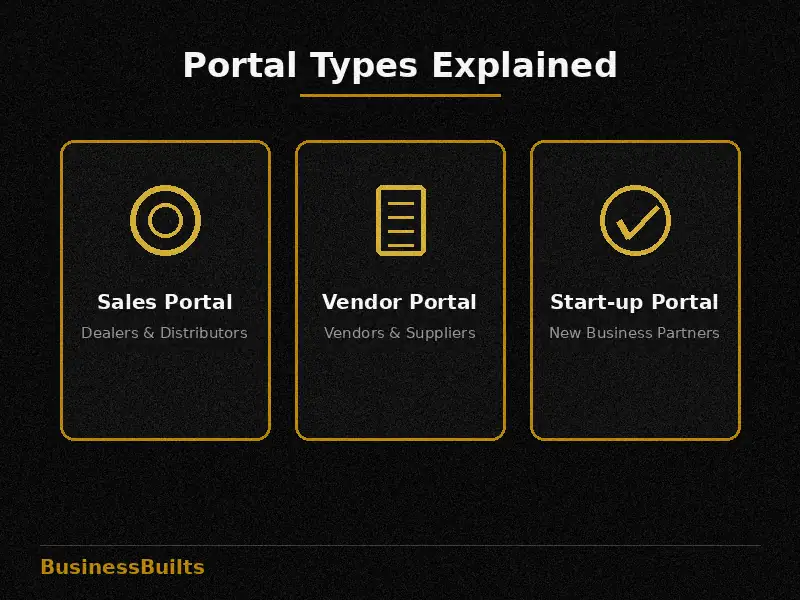
HPCL portal business portal system is not a single website, it is actually a group of several portals, and each one serves a different purpose. If you keep trying to log in through the wrong portal, you will only waste time.
Check the table below to quickly find the right place for you.
| Portal | URL | Who It’s For | What You Need |
| HPCL Sales/Dealer Portal | sales.hpcl.co.in/bportal | Petrol pump dealers, distributors | Customer ID and password |
| Vendor Registration Portal | vendor.hpcl.co.in/vendor_reg | Vendors and suppliers | Vendor ID, GST details |
| HP Start-up Portal | startup.hpcl.co.in | New business partners, startups | Login after registration |
| GST Helpdesk | Linked within sales.hpcl.co.in | Tax and GST related queries | Customer ID |
If you are a dealer, the Sales Portal will handle your needs. If you are a new vendor looking to register with HPCL, go directly to the Vendor Registration Portal. Understanding this simple difference eliminates about 80 percent of the confusion.
HPCL Business Portal Registration Process, Step by Step
Before registering, one thing should be clear: only those who already have or want to establish a business relationship with HPCL, such as taking a new dealership, becoming a vendor, or distributor registration, can apply.
The registration process works like this:
- Open the official HPCL sales portal or vendor registration portal
- Click on “Register” or “New User”
- Fill in your business details, such as company name and your GST registration certificate number, business address
- Enter contact details, an active mobile number and email
- Type the CAPTCHA code correctly
- Complete payment if any registration fee applies
- Submit the form
After submission, the HPCL team verifies your details. This verification process can take some time, occasionally a few days, so do not rush and keep all documents ready beforehand.
A common mistake people make is entering incorrect or incomplete business details. If there is even a small error in the GST number or business name, verification can get rejected and you will need to redo the process.
Documents Required for HPCL Business Portal
Documents vary depending on the user type. Below is a checklist for each category so you know exactly what to keep ready.
For Dealers:
- Business registration proof
- GST registration certificate
- PAN card, business or personal
- Bank account details for verification, cancelled cheque or passbook copy
- Dealership agreement copy, if available
For Distributors:
- Distributorship agreement
- GST certificate
- Business address proof
- Bank details
For Vendors and Suppliers:
- Company registration certificate
- GST number and certificate
- PAN card
- Bank account proof
- Past work experience proof, if requested
For Transport Contractors:
- Vehicle registration documents
- Transport license
- GST certificate
- Bank details
A practical tip: keep scanned copies of all documents ready in advance, in PDF format, under 2MB in size. This reduces upload errors significantly.
How to Login to HPCL Business Portal?
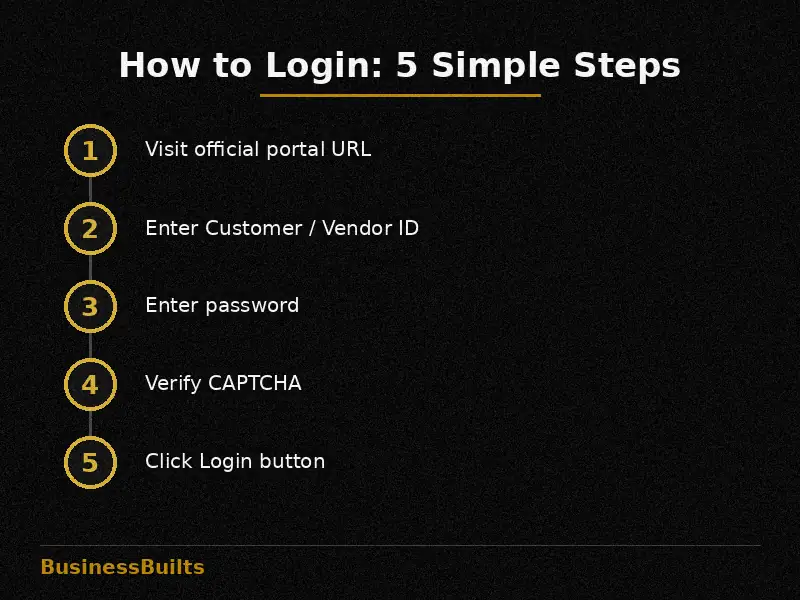
First, go to the correct www hpcl business portal URL, as mentioned in the table above. Dealers use sales.hpcl.co.in/bportal, while vendors use vendor.hpcl.co.in.
To log in:
- Look for the “Login” option on the homepage, usually in the top-right corner
- Enter your registered Customer ID or Vendor ID
- Enter your password
- Verify the CAPTCHA
- Click the Login button
The format of Customer ID and Vendor ID differs slightly. Customer ID is usually numeric and is sent to you via HPCL email or letter after registration. Vendor ID is generated similarly but is linked to the vendor registration portal, so trying to log in on the wrong portal will cause the login to fail.
If you forget your password, click “Forgot Password” to receive an OTP on your registered mobile number or email. Once verified, you can set a new password and log in immediately.
Mobile login: there is no dedicated app currently available, but the site opens smoothly on mobile browsers.
Key Features of HPCL Business Portal
The portal brings together a lot of functionality in one place.
Account management: View your complete business account details, update information, and monitor activity.
Order and supply tracking: Place new orders, check the status of previous orders, and track when supply will arrive.
Invoice and payment access: Download old invoices and view payment history, a feature especially useful for finance executives.
Business reports: View performance data that helps you understand how the business is doing.
Secure login system: Every account is protected with password and verification, preventing unauthorized access.
Common Login and Registration Errors, With Solutions
“Invalid Session” error: This usually happens when a browser tab has been open too long or multiple tabs have the same portal open. Solution: clear browser cache and log in again in a fresh tab.
CAPTCHA not loading: This is often related to internet connection speed. Refresh the page, or try a different browser, Chrome or Firefox work best.
Password reset OTP not arriving: First check whether your registered mobile number is correct. If the number has changed, contact your regional office to update it.
Incorrect Customer ID format: Users often add an extra space or zero to their ID. Type the ID exactly as it appeared in your registration email.
Registration verification delay: If it has been more than 7-10 days without any update, contacting your nearest HPCL regional office directly is the fastest solution.
How to Get GST and Invoice Details from HPCL Business Portal
In the invoice section of the portal, you can view all your purchase invoices, which include GST breakup details. You can download these invoices and use them directly for your GST return filing, eliminating the need to manually pass data to your accounting team.
If your business files GST monthly, checking the invoice section and downloading all transactions at the end of each month is a good practice. This avoids last-minute document hunting and keeps records ready when claiming input tax credit.
Benefits of HPCL Business Portal
The biggest advantage of the HPCL Business Portal going digital is time saved. Work that used to take hours, visiting an office, filling forms, waiting, now happens in minutes.
Transparency also improves significantly. You know exactly when payment will arrive, when an order will be delivered, and what activity is happening on your account.
For a small dealer, this difference is very real. Suppose a petrol pump dealer needs to place a monthly supply order. Earlier, this was handled through phone calls and paperwork, which left more room for errors. Now, the same order is placed through the portal with confirmation, and status can be tracked in real time.
Other Useful Portals Related to HPCL Business Portal
There are a few other portals in the HPCL ecosystem that might be useful for you:
- HP Gas Distributorship registration process for those interested
- HPCL Vendor Registration a separate system for new vendors
- Transparency Portal, for information on HPCL’s policies and procurement processes
If you fall into any of these categories, it is worth checking them out, since your specific requirement might get resolved faster there.
FAQs
HPCL Business Portal kya hai?
Ye HPCL ka online platform hai jisse dealers, distributors, vendors aur commercial customers apna business account, orders, invoices aur payments digitally manage kar sakte hain.
HPCL Business Portal ka login URL kya hai?
Dealers aur distributors k liye sales.hpcl.co.in/bportal use hota hai. Vendors k liye vendor.hpcl.co.in/vendor_reg alag se hai.
What is the difference between HPCL Sales Portal and Vendor Registration Portal?
The Sales Portal is meant for existing dealers and distributors to manage orders, invoices, and payments. The Vendor Registration Portal is a separate system specifically for new vendors and suppliers to register and get verified with HPCL.
Password bhool jaane par kya karein?
Login page pe “Forgot Password” option pe click karein, registered mobile ya email pe OTP aayega, uske baad naya password set kar sakte hain.
Is HPCL Business Portal registration free of cost?
In most cases, registration is free, but some categories may involve a nominal fee depending on the type of partnership. It is best to confirm exact fee details with your regional HPCL office.
Kya HPCL Business Portal mobile se use ho sakta hai?
Haan, koi dedicated app nahi hai, lekin mobile browser se site smoothly access ho jaati hai.
How long does HPCL Business Portal registration verification take?
Verification usually takes a few days, but it can vary depending on document accuracy and workload at the regional office. If it takes more than 7-10 days, contacting the office directly is recommended.
Vendor aur dealer portal me kya farak hai?
Dealer portal sales, orders aur invoices manage karne k liye hai. Vendor portal naye suppliers ki registration aur unke documents verify karne k liye alag se banaya gaya hai.
Related Posts
What Should You Do Next?
If you want to become a new HPCL dealer or vendor, start by getting your documents ready and registering through the correct portal. If you are already registered and facing login issues, try the solutions above or contact your regional HPCL office directly. For more practical business and finance guides like this, keep reading BusinessBuilts.
Disclaimer: This article is for general informational purposes only. For all official details, updated URLs, and processes related to HPCL Business Portal, please confirm with the Hindustan Petroleum Corporation Limited official website or your nearest regional office. BusinessBuilts does not guarantee the accuracy of any third-party portal.
About the Author
Written by Ashish Kumar, Founder at BusinessBuilts
Ashish Kumar is a finance and business content writer with over 5 years of experience specializing in personal finance, banking, insurance, taxation, investments, fintech, and business trends. Through BusinessBuilts, he publishes well-researched, accurate, and easy-to-understand content based on credible sources and the latest industry developments to help readers make informed financial decisions.
